How to Quote Posts in Our Forum
Quoting other members’ posts in our forum is a great way to reply directly to something they’ve said. Whether you want to highlight a specific point or respond to multiple people at once, MotorhomeFun makes it easy.Here’s how to do it:
Quick Quote (Highlight + Quote)
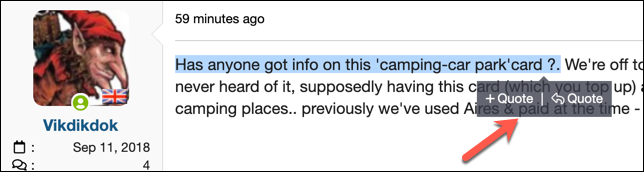
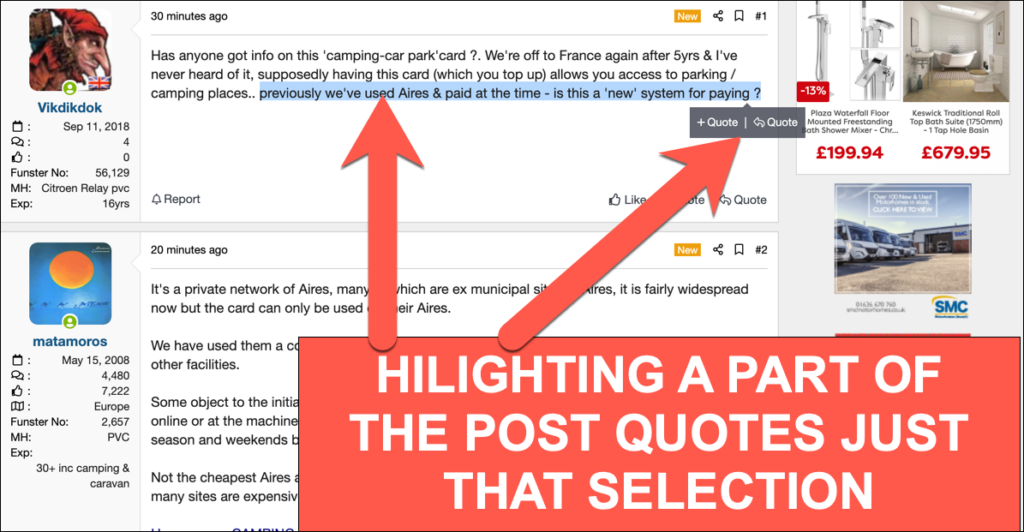
If you only want to quote part of someone’s post:- Highlight the text you want to quote using your mouse or finger (on mobile).
- A small “Quote” or “Reply” popup will appear next to your selection.
- Click Reply to immediately insert the quote into your reply box.
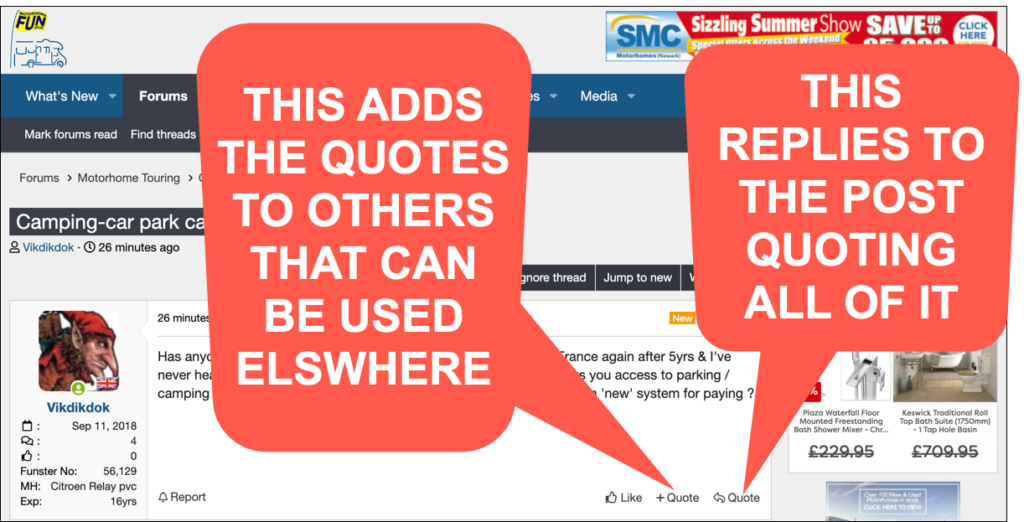
- Or click +Quote to save it for later. You can collect multiple quotes across the forum this way.
Multi-Quote from Several Posts
To quote more than one post or multiple snippets:- Highlight the parts of each post you want to quote.
- Click +Quote each time.
- Once you’re ready to reply, click Insert Quotes… (just above the reply box).
- Select the quotes you want to include, then click Quote These Messages.
Quote an Entire Post
To quote a full post:- Click the Reply button at the bottom right of the post.
- The entire message will be quoted in your reply box, including the member’s name and timestamp.
Tips & Tricks
- You can edit down quoted text in your reply to keep things tidy—just don’t remove the
tags. - Use quoting responsibly. Avoid quoting long posts in full if you’re only replying to a small part.
- Quoting helps keep conversations clear, especially in busy threads.
Quoting just the highlighted text