



Head to the forum and log in with your current username and password.
Once logged in:
If you don’t see the option, it may be because:
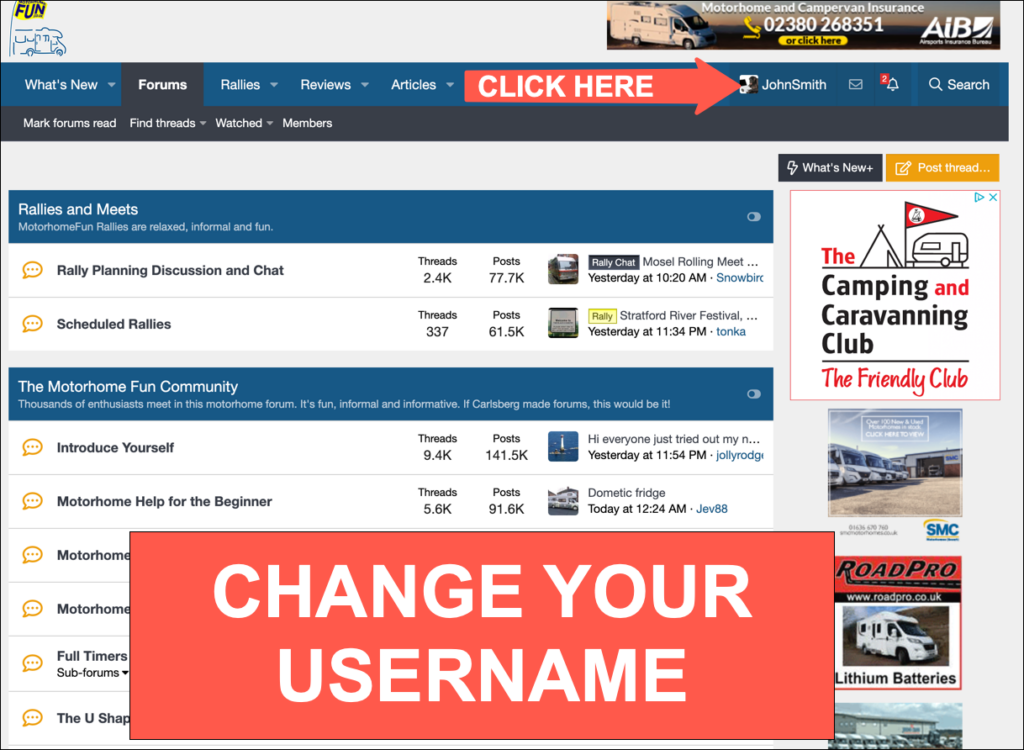
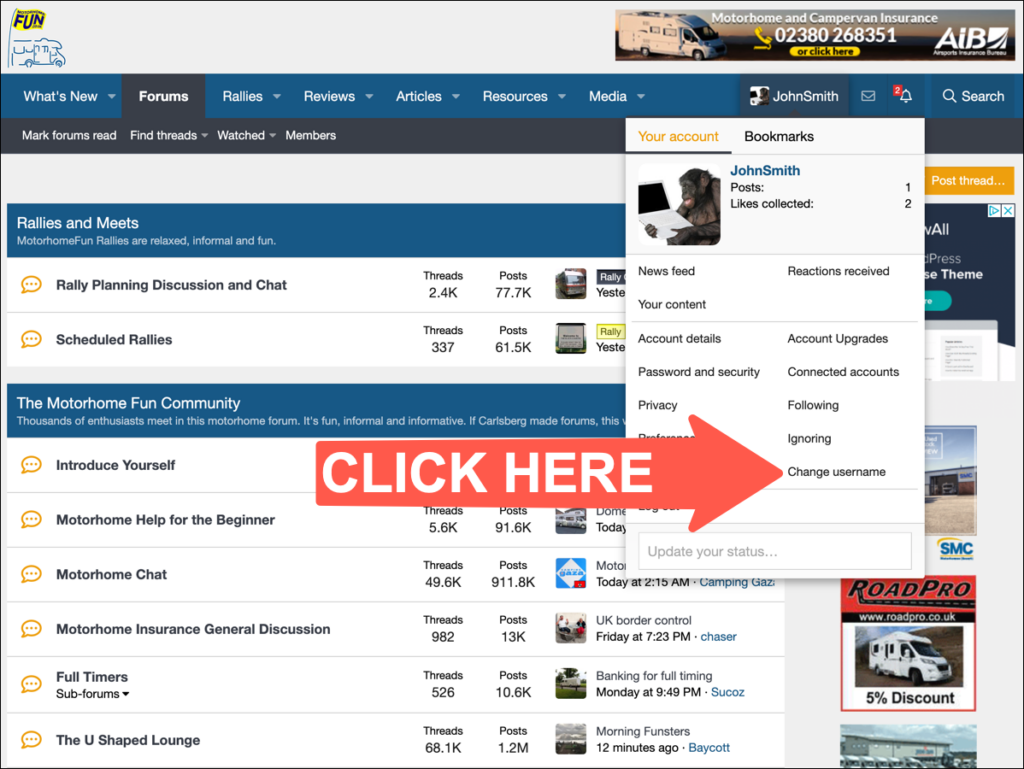
Once logged in:
- Click on your username or avatar at the top right of the page.
- From the drop-down menu, select Account details.
On the Account Details page, scroll down and look for the “Change username” section.- If available, click on Change next to your current username.
- Enter your new desired username in the field provided.
- Optionally, add a reason for the change (some forums require this).
If you don’t see the option, it may be because:
- Username changes are disabled.
- You haven’t reached the required member status or post count.
- You need to contact an admin or moderator.
- Click Save or Submit.
- Your request will sent for approval
- You’ll receive a notification once your request is reviewed.
- Keep an eye on your inbox or alerts.
Once approved, your username will update across the forum.